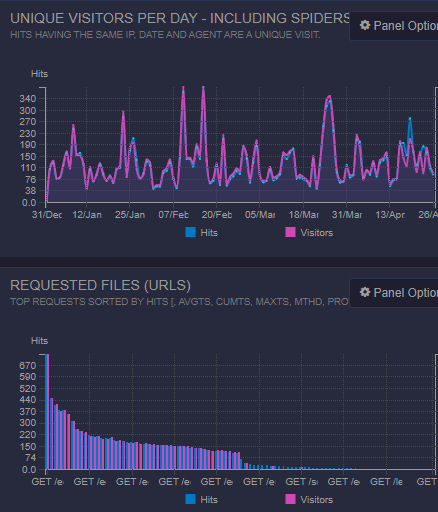
 AWS Serverless provides extensive CloudFront logging. However, the logs are significantly different from standard Apache logs - they are not easy to work with, either for diagnosing issues or analysing traffic.
AWS
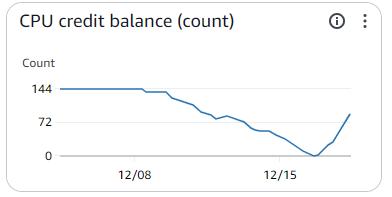 I switched my web servers over to an AWS t2.micro instance in 2014, which has been adequate for my needs until late afternoon on December 16th when I started to get a flurry of "high CPU" alerts. I noticed a large number of queued web requests that seemed slow to complete. Web server responsiveness was extremely slow.
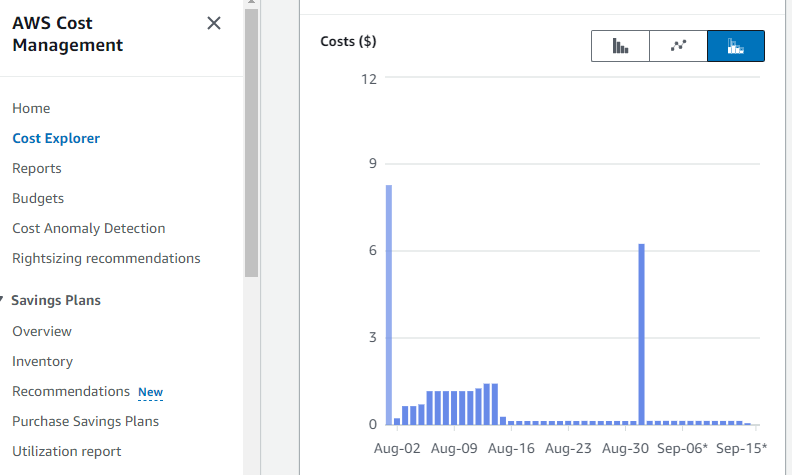
My AWS monthly bill is normally less that $10 (USD, before taxes), of which the t2.micro server is about 55%, EBS storage another 44%, and the remaining 1% is email and S3 usage. The August bill was over $21, with the AWS Web Access Firewall (WAF) being 55% of the total.
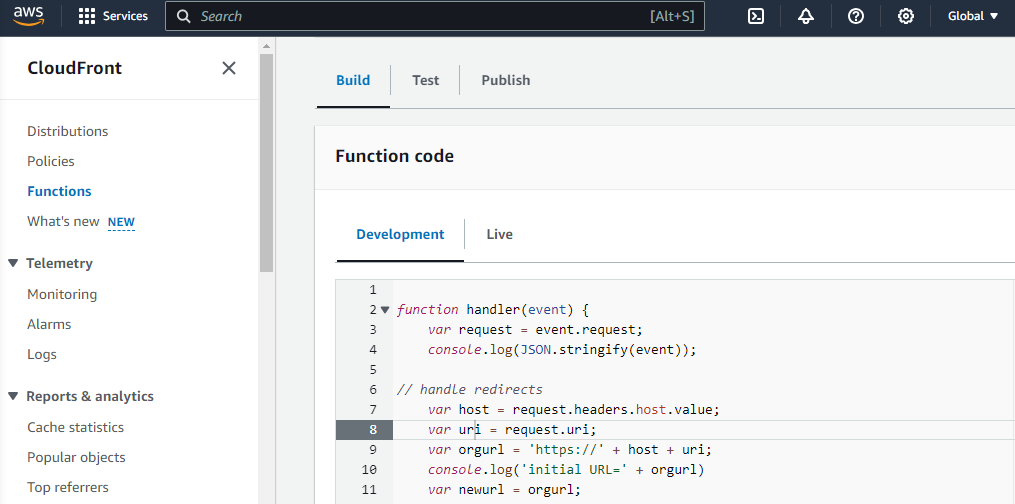
The Apache .htaccess file is often used to modify how users interact with websites, such as:
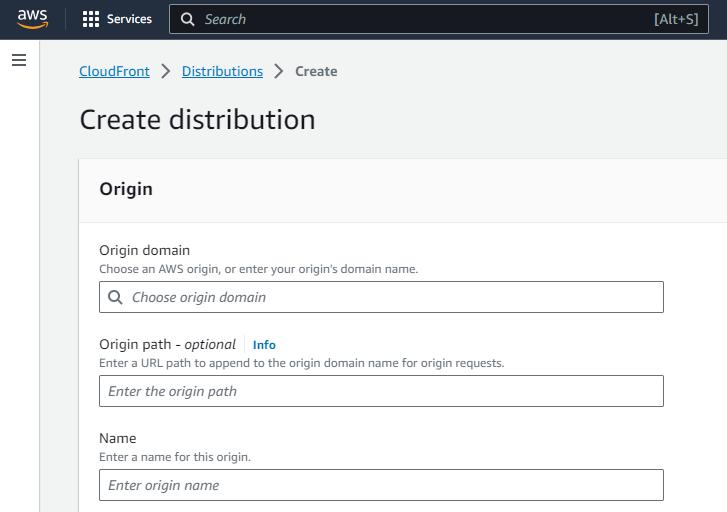
Configuring AWS CloudFront is complicated. I find it useful to create a 'cheatsheet' of the steps and key values that I need to complete the configuration. As an example, assume I am transferring an existing https://subdomain.example.ca site to AWS serverless.
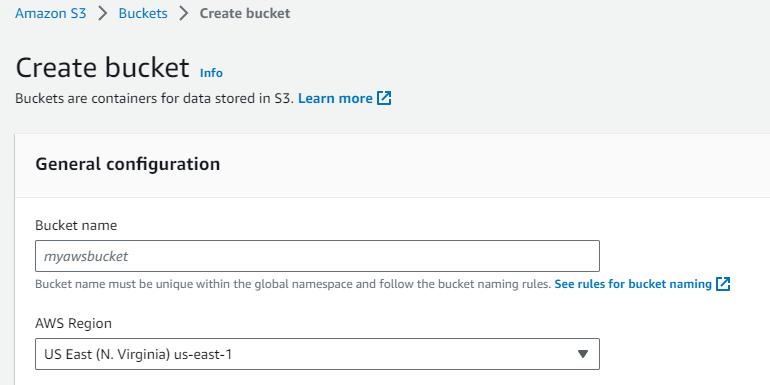
Some caveats. Out of the box, AWS serverless hosting is meant for simple websites with files that all public. Neither S3 buckets nor CloudFront process .htaccess website customisation such as rewrite rules or authentication. CloudFront functions or Lambda@Edge can provide similar functionality - I will post more details once I have figured out the details.
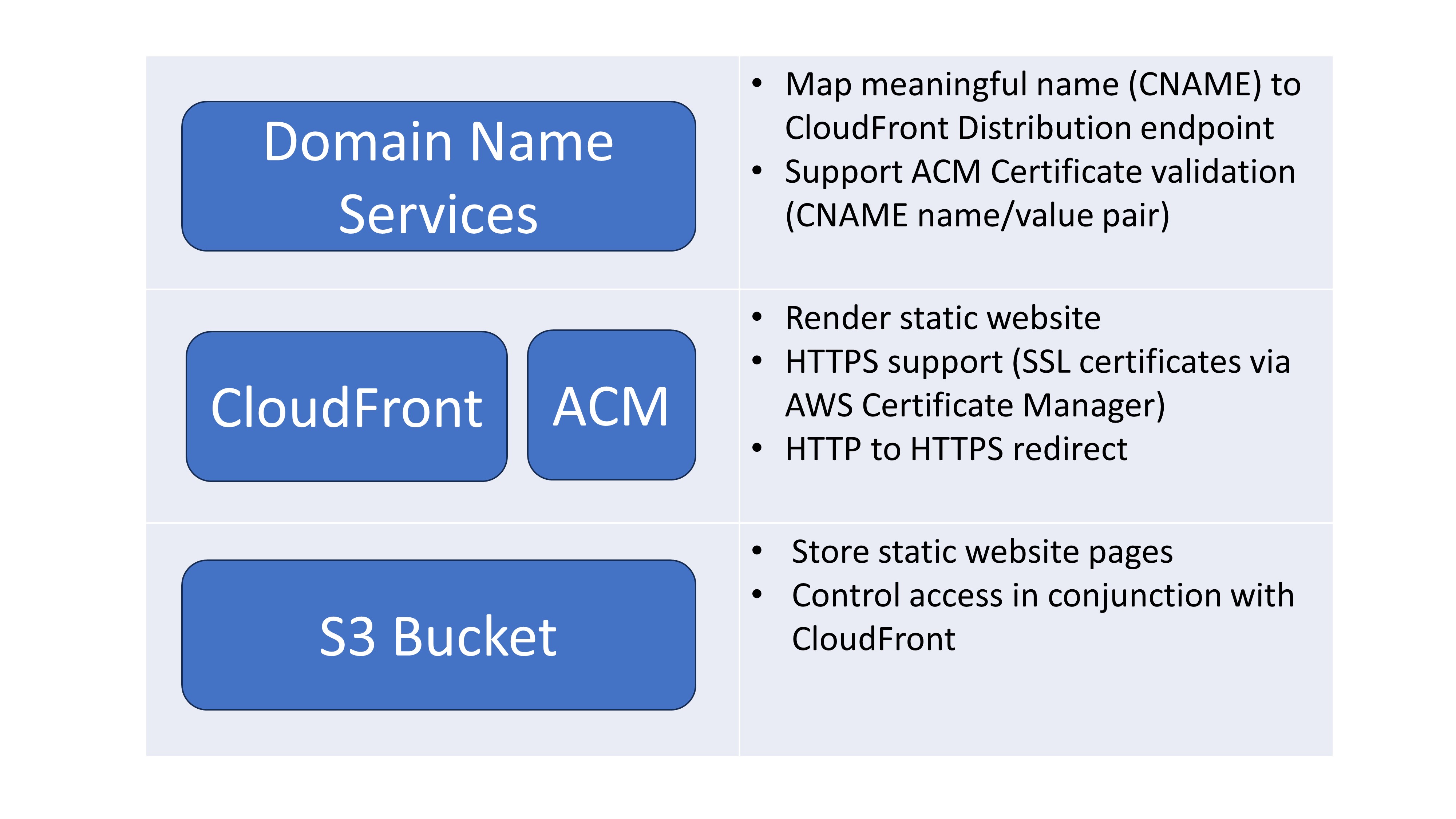
I run a number of Drupal, MediaWiki, and static websites on an AWS EC2 t2-micro server. The server Linux/Apache/MySQL/PHP stack is no longer supported, primarily because of conflicting server and Drupal requirements made upgrading difficult. My plan is to create static versions of the MediaWiki and Drupal sites.