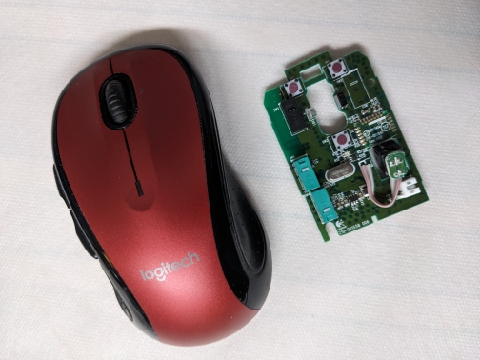
I have been using Logitech computer mice for ages: good price, good quality, and they meet my needs. Around 2017, I noticed recurring issues where my computer would record a single mouse clicks as two clicks. This was not an unknown problem - there were numerous posts with various hints including software that allowed control over the double clock speed and debounce time period (this only provided temporary relief).
I managed to convince Logitech to replace a few mice under warranty which allowed me to salvage working microswitches and replace the failed microswitches. Corey Bodoh posted detailed instructions at https://www.overclockers.com/how-to-fix-infamous-logitech-double-click-problem/ for various Logitech mice. I recently purchased ten D2F-01 microswitches from DigiKey for about C$3.70 each which should last me for years and save hours communicating with Logitech.
If you are reasonable handy with a soldering iron, the repairs are not difficult. The tricky part is removing the microswitch which has three solder points. Rather than using a desoldering pump, I have had good success with desoldering braid tape that wicks the molten solder from the wire and circuit board. When reassembling the mouse, the on/off slider in the bottom plate may sometimes be misaligned with the switch on the circuit board. I found taping the switch in the "off" position and also setting the switch to the "off" position before final assembly helped.
I keep a repaired mouse on hand and swap it for the failed mouse using Logitech's "Unifying Software" (https://support.logi.com/hc/en-us/articles/360025297913-Logitech-Unifying-Software) to pair the mouse with the computer's Logitech Unifying Receiver. Sometimes the the replacement mouse would not pair because it was already paired and in range of another Unifying Receiver. Unplugged other Unifying Receivers allowed the pairing process to complete.
Blog comments