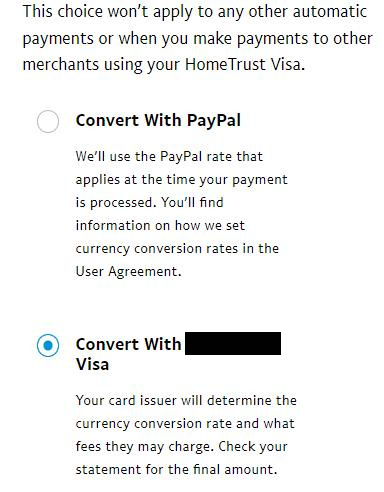
 Banks, credit cards, and PayPal typically charge currency exchange fees of 2.5% or more on top of the actual currency exchange rate. I have a credit card that does not apply any additional fees, useful when travelling and purchasing products or services from outside Canada.
PayPal allows me to specify that charges to that credit card should go through unconverted - although there were issues in the past, this feature has been working reliably for a while. However, I noticed that an automatic/recurring payment in USD was converted by PayPal to CAD.
The conversion option for automatic payments is well hidden:
- login to PayPal
- click on the Settings (gear) icon
- select the Payments tab
- scroll down and click on Automatic payments
- click on the vendor
- beside Payment method is the credit card PayPal will use - click on the 'edit' (pencil) icon
- your preferred credit card should be selected - click on See Conversion options just below it
- change to Convert With <your credit card> and then Agree
I may have missed the option when I set up the initial payment or PayPal was not respecting that option, so I cannot be sure whether PayPal saves the conversion I specified. However, when I checked other Automatic Payments that were associated with my "no currency fee" credit card, they all showed Convert With PayPal. I have set up a reminder to periodically scrub the PayPal Automatic payments list and also check that the conversion option is correct.
Blog comments