 Back in 2010, I decided to switch from a flip phone to a smartphone. I as not part of the Apple universe, so my options at the time were Blackberry (physical keyboard) and Android (virtual keyboard). Bernie Michalik (https://smartpeopleiknow.com/) mentioned the Android Swype application that allowed me to "draw" letters on the virtual keyboard instead of trying to tap tiny virtual keys with fat fingers. Swype learned the words that I use frequently and maintained a personal dictionary synchronised across my Android devices. Swype was not perfect - I learned to watch the words above the keyboard and also proofread my "swyping" carefully. I have used it since then even after Nuance bought Swype and Microsoft bought Nuance, renamed Swype as SwiftKey.
I was able register SwiftKey with my Gmail account. In March, Microsoft informed me that I needed to switch to a Microsoft account by May 31st or risk losing my personal dictionary. The instructions were vague, and SwiftKey Support was definitely no swift. When I logged out of my Gmail account and logged into my Microsoft account, my personal dictionary was empty. I was able to login to my Gmail account. I found various migration instructions.
What worked for me:
- launch the Android SwiftKey application, which took me to SwiftKey settings
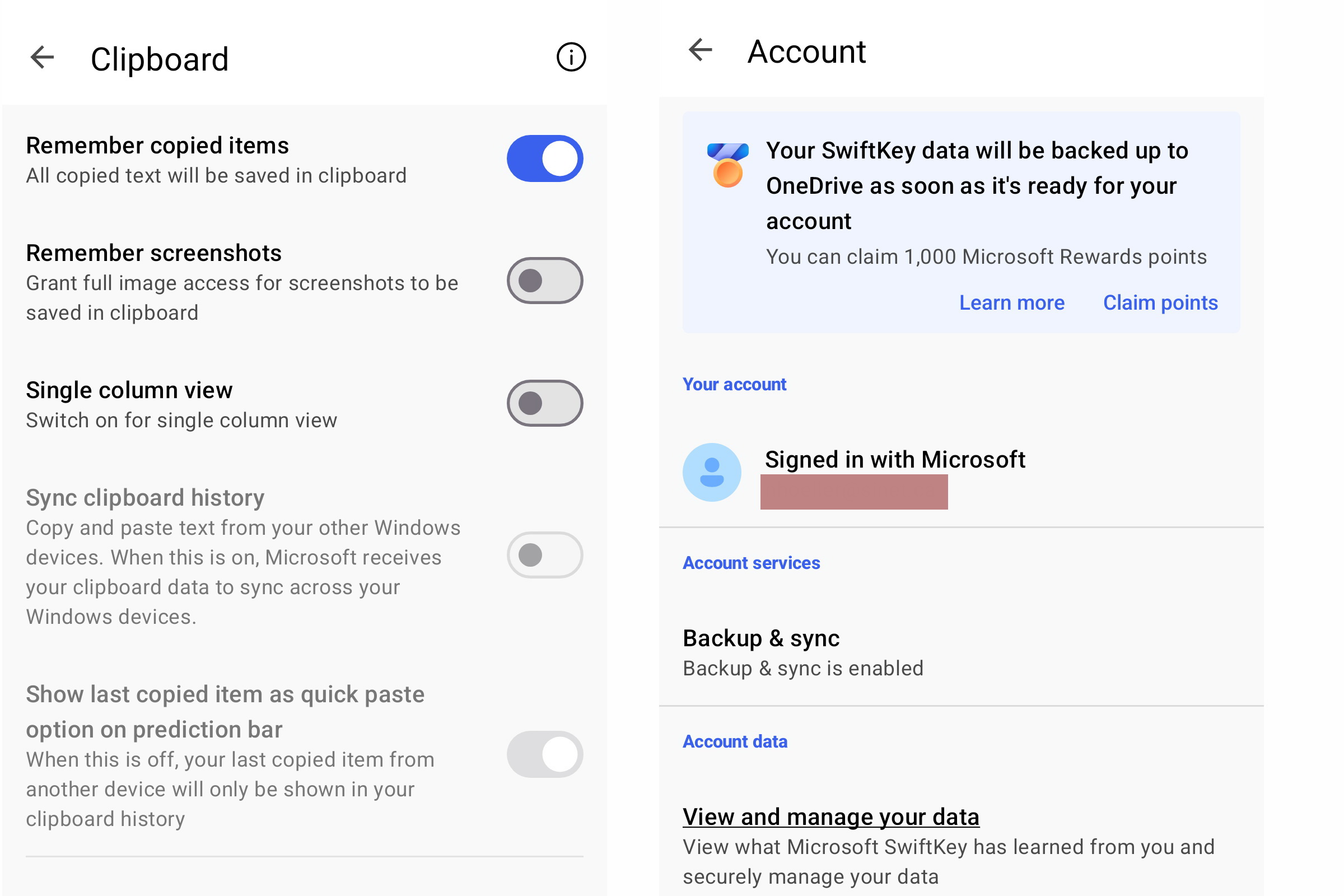
- tap on Rich input and then on Clipboard
- tap on Sync clipboard history which prompted me to login to my Microsoft account and migrated by personal dictionary
To verify that the migration was successful:
- return to SwiftKey settings and Account - it should show you as Signed in with Microsoft
- under Account data, tap on View and manage your data
- this will prompt you to login - the first time took a while going through Microsoft authentication and 2FA
- tap the menu near the upper right and tap on View data (tap on the menu to make it disappear)
- for here you can Export all (although I am not aware of a way to import the data) and scroll through your dictionary
SwiftKey will save your dictionary in the OneDrive Apps > SwiftKey folder. So far, I have not found this folder but SwiftKey Backup and Sync with OneDrive suggests the migration to OneDrive may not be complete until after May 31st.
Blog comments1
Glad you found a fix for…
Glad you found a fix for this, Norbert! I love coming across posts like this when I have technical trouble: clear and concise.